In stock ยท ships in 2 days

Your Tesla,
wireless.

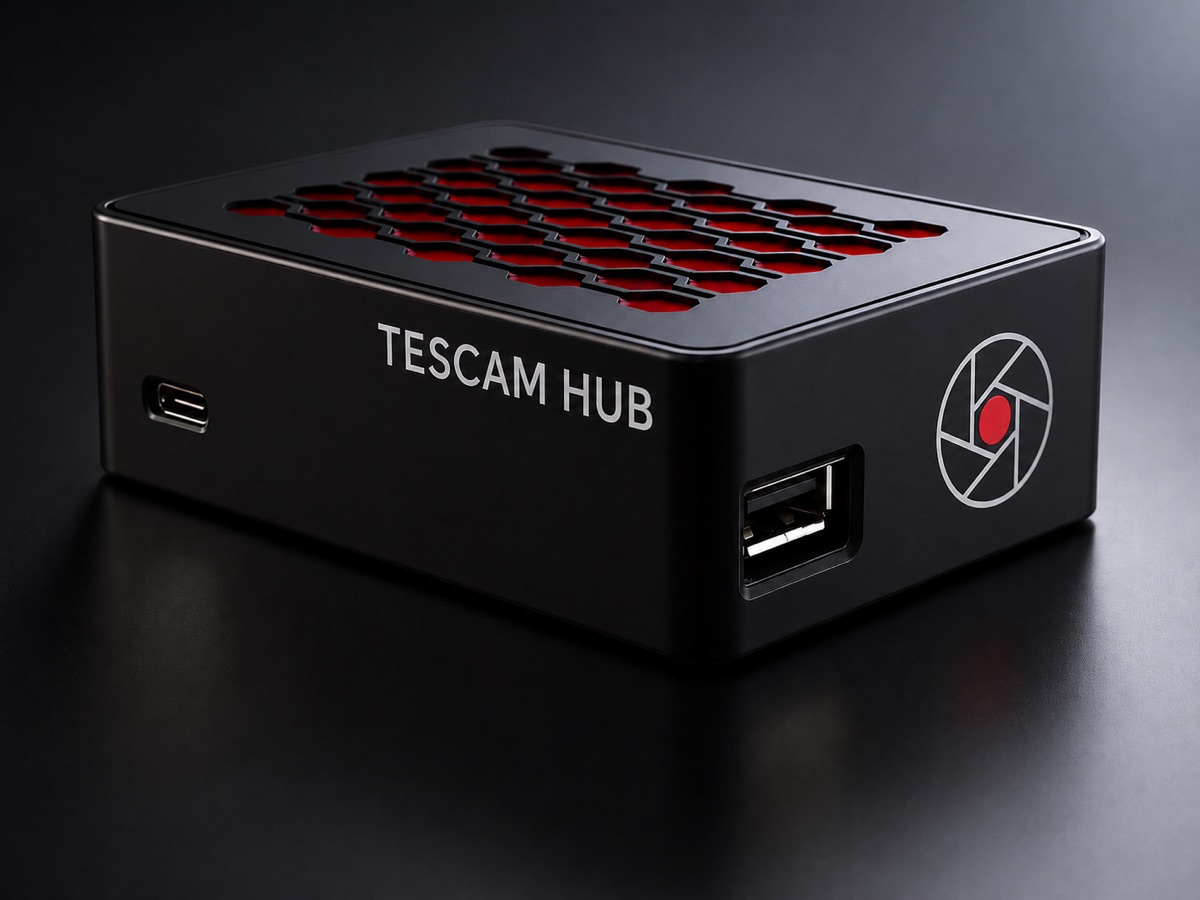
TesCam Hub sits in your glovebox between your Tesla and its USB drive. Pull every clip from your phone, light up the FSD Map as you drive, and send sounds, shows and designs to the car.

$199$220+ $8 US shipping
Model 3, Y, S, X & Cybertruck Free updates over the air
TesCam Hub
FSD MapWireless clipsSend to CarSetupSpecs
Only with TesCam Hub

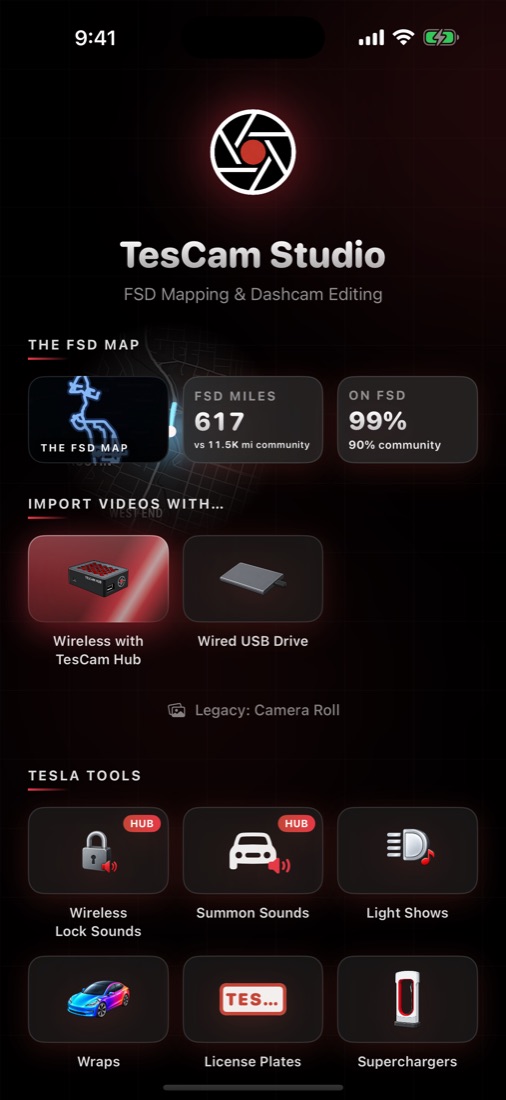
The FSD Map.
Every self-driven mile, lit.

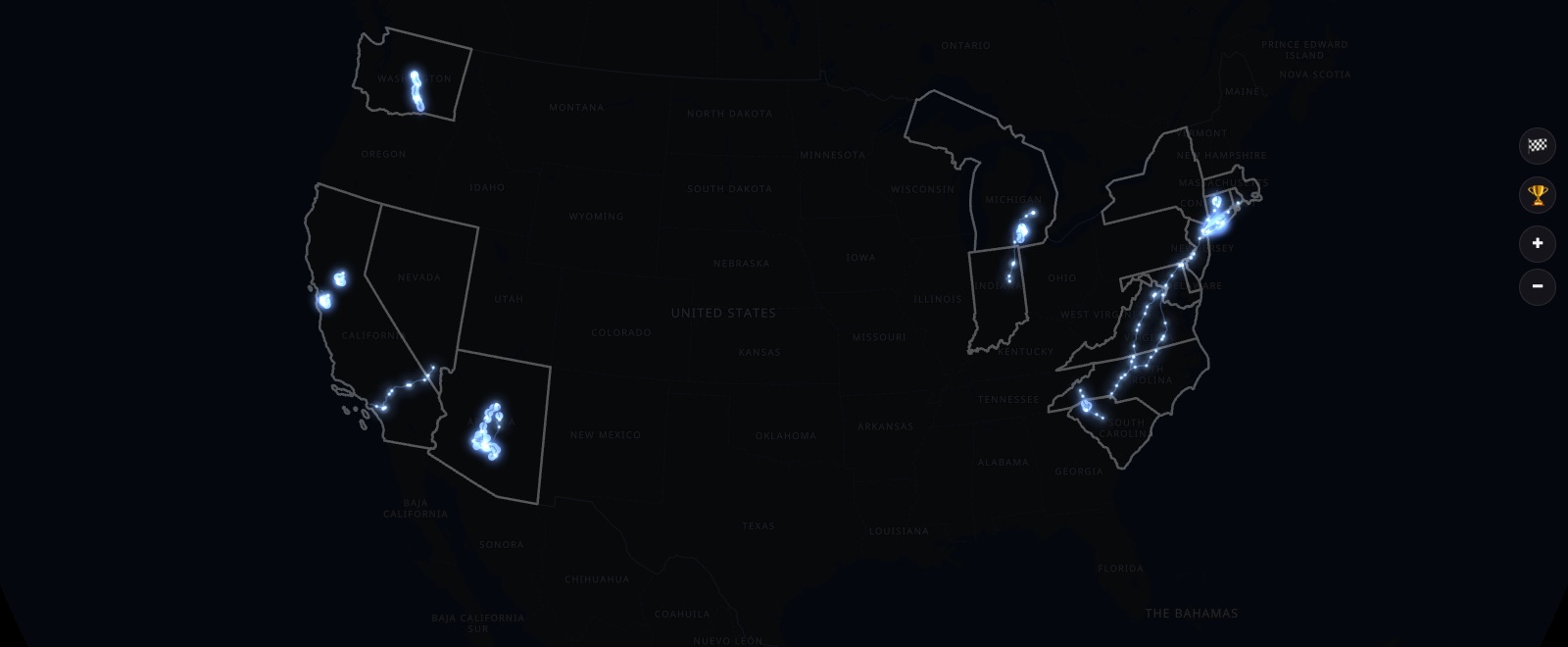
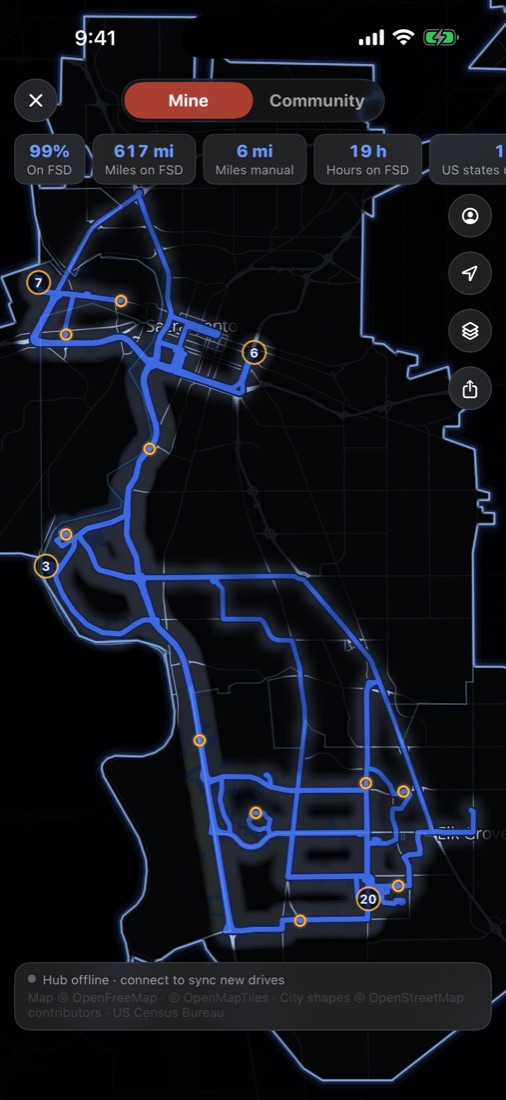
Your map starts dark. Every mile your Tesla drives itself clears a glowing path, unlocks the city around it and adds to your totals. The hub reads FSD from every clip on its own, so there's nothing to log and nothing to remember.

13,500+community miles on FSD
356hours driven on FSD
90%of driving on FSD
+270FSD miles added today
Live from the community map
๐Ÿ™๏ธ
Cities unlock as you drive

Drive into a new city and its real outline appears, then fills from 0% to fully lit as you cover its streets.

๐Ÿ‘‘
Titles worth bragging about

Light up the most of a city to become its Mayor. Lead your state as Governor, or the whole country as President.

๐Ÿ“Š
You vs. the community

Your FSD share, miles, hours and streaks side by side with every other driver on the leaderboard.

๐Ÿ›‚
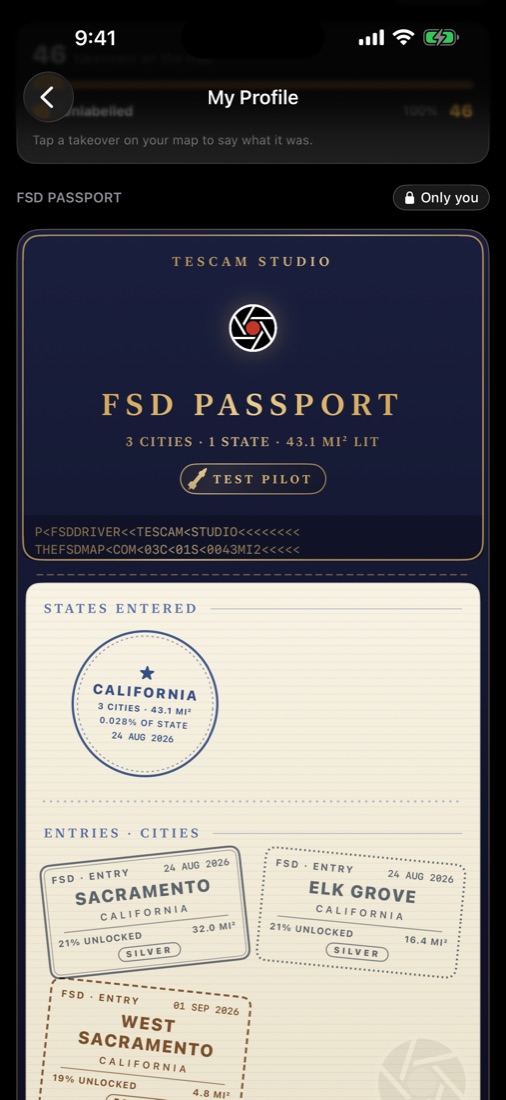
FSD Passport

Every city and state you unlock is stamped into a passport you can flip through and share.

๐Ÿ—“๏ธ
Year in Review

Miles, cities and states from your year on FSD, in a deck made to post.

๐Ÿ”’
Private by default

Your own map stays on your phone. Joining the community map is opt-in and only shares areas, never routes.

How it works

Drive. That's it.

  1. Your Tesla records like always.Every dashcam clip already carries the car's speed, GPS and FSD state.
  2. The hub reads every clip.While you drive, it pulls out the miles you spent on FSD.
  3. Your map lights up.Open TesCam Studio and the new roads, cities and totals are waiting.
Your FSD Map on iPhone
FSD Passport with city stamps
Wireless clips

Never pull the USB drive again.

Tesla keeps writing to the same drive it always has. You just reach every dashcam and Sentry clip from your phone, in the car or from the couch.

50MB/s

Fast, full quality

5 GHz WiFi brings the untouched original files to your phone. A six-camera minute arrives in seconds.

2ways

In the car or at home

Connect straight to the hub in the car, or reach it over your home WiFi when the car is parked in range.

1tap

Sentry Recap

Every Sentry event, pulled straight from the hub and only from the camera that caught it. Nothing piles up on your phone.

Android, Windows, anything

No iPhone? No problem.

The hub has its own web page. Any phone or computer with a browser can set it up, then browse, play and download every clip wirelessly, in the car or on your home WiFi. No app needed.

How it works on Android & PC
Send to Car

Make it in the app. Hear it on the car.

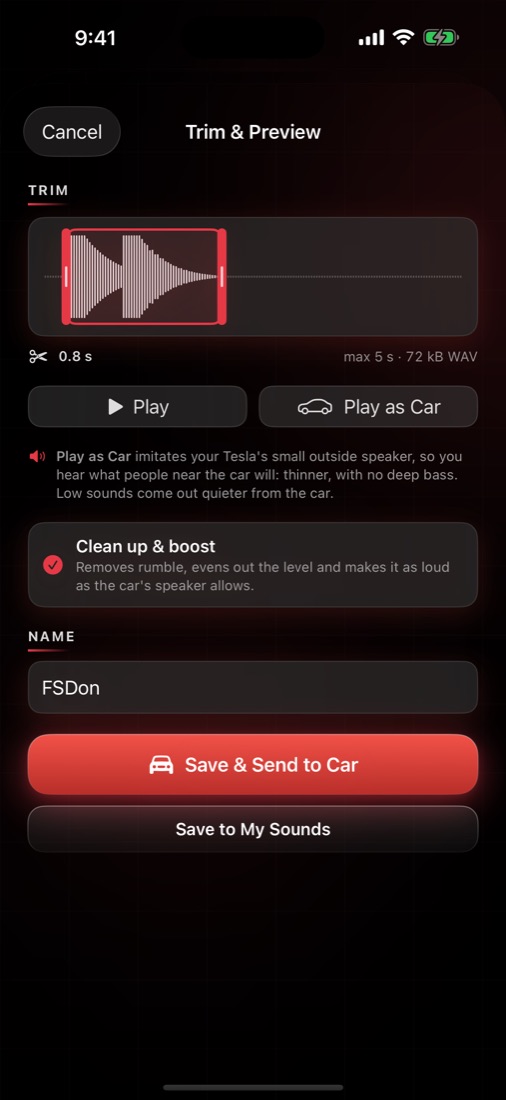
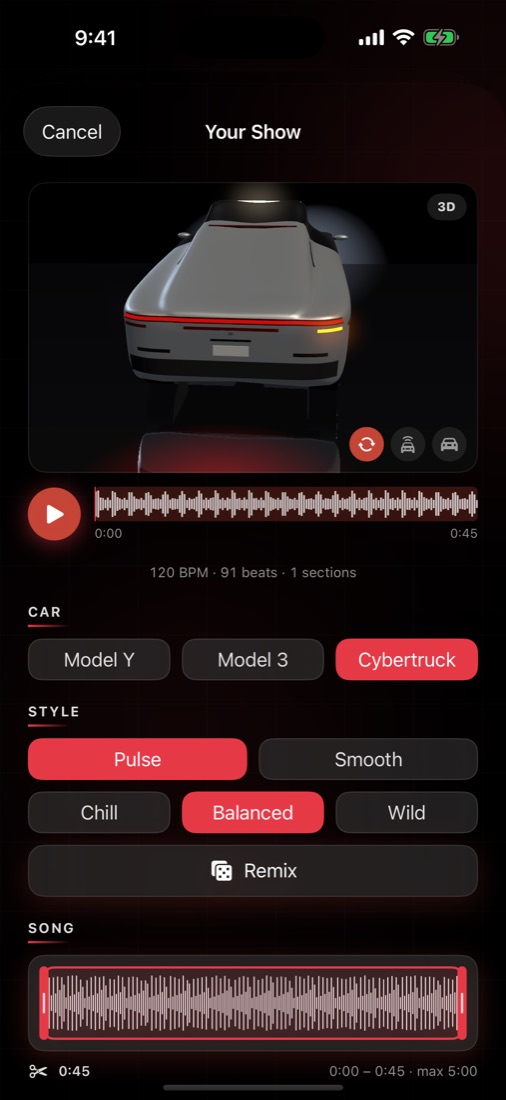
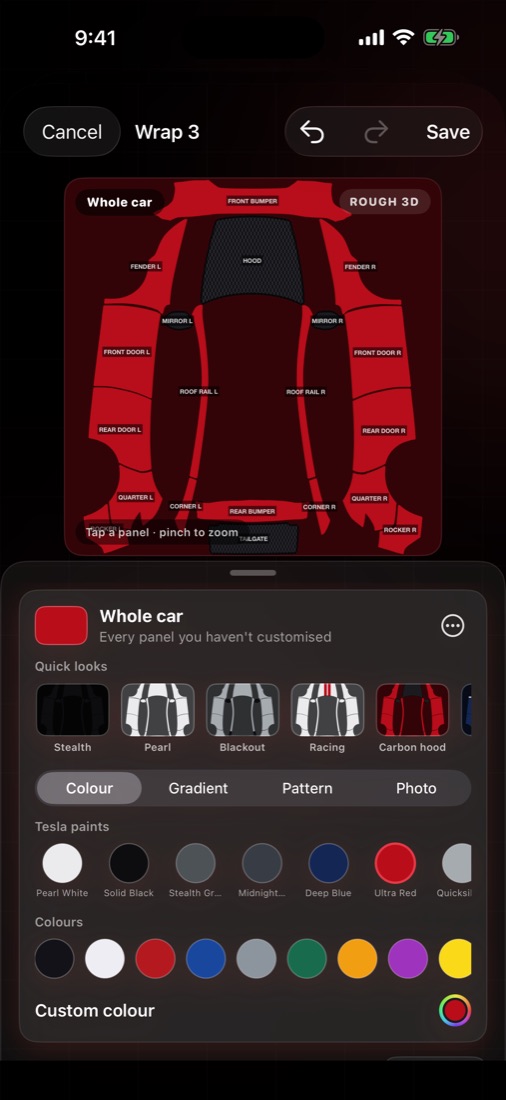
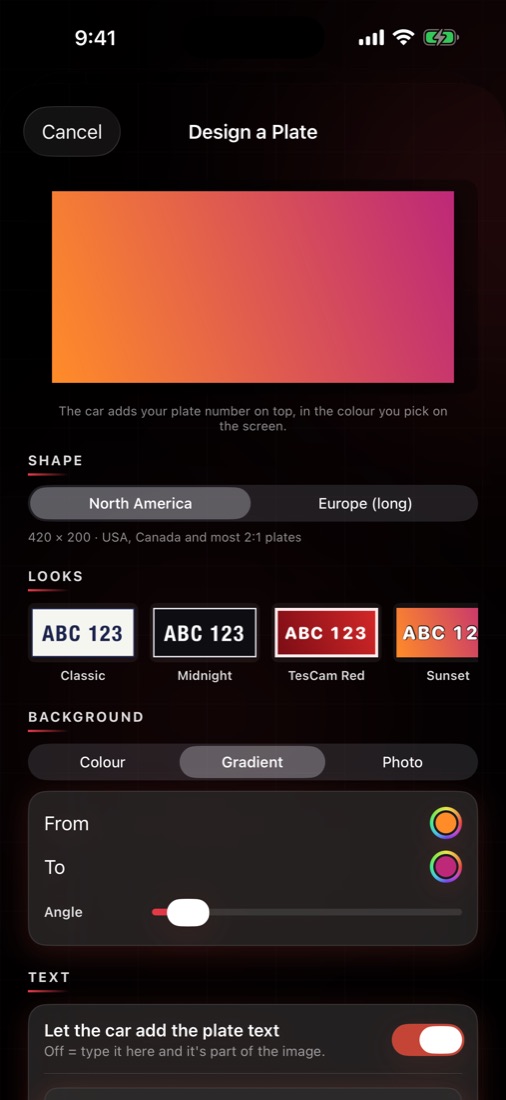
Design a lock sound, light show, wrap or plate in TesCam Studio, tap Send to Car, and the hub puts the right file in the right folder on your car's drive.

๐Ÿ“ฑ TesCam Studioโ†’TesCam Hubโ†’๐Ÿš— Your Tesla
See all Tesla Tools
Lock SoundsPlays every time you lock. Browse the community โ†’
Summon SoundsWhat your car plays as it comes to you.
Light ShowsYour song, your show, previewed in 3D first.
WrapsYour paint job on the car's screen.
License PlatesEvery state plate plus community designs. Browse the community โ†’
Setup

Three steps. Then forget it's there.

01

Plug the hub into your Tesla

Use the included cable on the glovebox USB port. The hub tucks in next to it.

02

Plug in your drive

The same USB drive you record to today. Your Tesla sees it exactly as before.

03

Pair in the app, or a browser

TesCam Studio finds the hub, joins it and walks you through the car settings in a minute. On Android or a PC, the hub's own web page does the same.

Gets better on its own

A real computer in your glovebox.

Not a USB stick. TesCam Hub runs its own software, and every update so far has added something new.

Free updates over the air

Signed updates install in the background. No cables, no downloads.

Updates even offline

No WiFi in the garage? The app carries the update to the hub for you.

Clips tagged for you

The hub marks the interesting moments in each clip so they're easy to find.

Hub owner badge

Hub owners get an exclusive badge style for their exported videos.

Specs

Real hardware. Real speed.

Compute
Quad-core ARM Cortex-A72 @ 1.5 GHz, 1 GB RAM
Wireless
WiFi 5 (802.11ac, 5 GHz) ยท Bluetooth 5.0
Transfer
Up to 50 MB/s wireless ยท USB 3.0 wired
Connections
USB-A in for your drive ยท USB-C to your Tesla
Power
From the Tesla's USB port, no extra cable
Storage
Bring your own USB drive (any size, exFAT)
Vehicles
Model 3 & Y (2019+), Model S & X (2018+), Cybertruck
In the box
TesCam Hub ยท USB-A to USB-C cable ยท Quick-start card
App
TesCam Studio for iPhone, iPad and Mac (free)
Browser
Built-in web page for Android, Windows, Chromebook and Linux — browse, play and download clips, no app needed
Updates
Free, over the air
TesCam Hub

Get yours.

$199$220+ $8 US shipping

Secure checkout via Shopify ยท Ships within the continental US

By purchasing, you agree to the TesCam Hub Terms & Conditions.

TesCam Hub ยท $199In stock ยท ships in 2 days
Order